Standing desk ergonomics: height, posture, and how often to switch
Good standing desk ergonomics comes down to three settings and one habit: desk at elbow height, screen top near eye level, knees soft — and a switch back to sitting every 30 to 45 minutes. Standing all day is not the goal.
Standing desk ergonomics starts at elbow height
Forget the number on the desk controller. The only reference that matters is your own elbow.
Stand relaxed, shoulders down, upper arms hanging straight at your sides, and bend your elbows to about 90 degrees. Wherever your hands land is where the keyboard belongs. Anywhere in the 90-to-110-degree band works — forearms level or sloping slightly down toward the desk — with wrists straight rather than cocked up.
Two tells that the standing desk height is wrong:
- Shoulders creeping toward your ears. Too high. You're holding your arms up all day with your upper traps.
- Reaching down, mid-back rounding forward. Too low — the more common error, because people set the height by eye and land somewhere near their waist.
Measure in the shoes you actually work in; running shoes can add over an inch. On a desktop converter, the number applies to the keyboard tray, not the top shelf. Everything else — chair height, screen distance — follows the same logic as a good ergonomic desk setup.
Standing desk height by user height
Starting points, not prescriptions. Check them against your own elbow, then save the position as a preset — a desk you re-aim every morning is a desk you stop raising.
| Your height | Keyboard surface height (approx.) |
|---|---|
| 5'2" (157 cm) | 38.5 in (98 cm) |
| 5'4" (163 cm) | 40 in (102 cm) |
| 5'6" (168 cm) | 41 in (104 cm) |
| 5'8" (173 cm) | 42 in (107 cm) |
| 5'10" (178 cm) | 43.5 in (110 cm) |
| 6'0" (183 cm) | 44.5 in (113 cm) |
| 6'2" (188 cm) | 46 in (117 cm) |
Three standing desk posture habits that undo the setup
A correctly measured desk still leaves you standing for hours, and standing is a skill people are worse at than they assume.
Locked knees
Pushing the knees back into full extension feels like rest, and in a sense it is — you're hanging on ligaments and joint capsule instead of using muscle. It also tends to tip the pelvis forward and deepen the low-back curve. Keep a soft micro-bend, enough that you could dip an inch without unlocking anything. Most people can't feel the difference until they check.
The one-leg lean
Within about ten minutes, most people park their weight on one leg and hitch that hip up. It's comfortable because one side gets to switch off. It also loads one hip, one side of the low back, and one foot for as long as you stay there, and almost nobody swaps sides on a schedule.
Better than willpower: feet about hip-width, weight even through both feet; a footrest bar or low box so you can rest one foot up and deliberately alternate; an anti-fatigue mat, which gives your feet enough small movement that they stop hunting for a lean.
The forearm lean
Propping both forearms on the desk edge and letting the shoulders round forward looks like work. It's a slouch, standing up, and it usually means the desk is slightly too high or you've been up too long — the same shape as poor sitting posture at a desk, just vertical.
Your monitor is still set for a seated eye line
This is the standing-specific mistake almost nobody catches, because the monitor rises with the desk and everything looks fine.
Standing doesn't raise all of you by the same amount. Going from a seated desk (typically 28–30 in / 71–76 cm) up to standing lifts the work surface about 13 to 15 inches. Your eyes rise further — nearer 18 to 20 — because standing straightens the hips as well as the knees. A screen that was right when you were seated ends up roughly 3 to 5 inches (8–13 cm) too low once you stand.
You compensate by dropping the chin and pushing the head forward, which is the posture most people bought the desk to escape — see forward head posture and chin tucks.
Aim for the top of the screen at or just below eye level, about an arm's length away (20–30 in / 50–75 cm), in both modes:
- A monitor arm you can raise independently of the desk, set once for each position.
- Or a riser that goes under the screen when you stand and comes out when you sit.
- Laptops: the screen can't be at eye height while its keyboard is at elbow height. Stand the laptop on something and add an external keyboard and mouse.
How long should you stand at a standing desk?
Not all day. Prolonged standing brings its own leg and foot discomfort and swelling, and trading eight hours of sitting for eight hours of standing swaps one static load for another.
A workable pattern for desk work: roughly 1:1 to 2:1 sitting to standing across the day, changing position every 30 to 45 minutes rather than in two long blocks. Common workplace guidance is to accumulate at least two hours of standing and light walking during the workday and build toward four. If you're new to it, start at 15 to 20 minutes per bout and add time as your calves and feet adapt.
Standing desk vs sitting desk is the wrong comparison. What matters is how often you change position; a sit-stand desk earns its price by making the change cheap, not because standing is the healthy state.
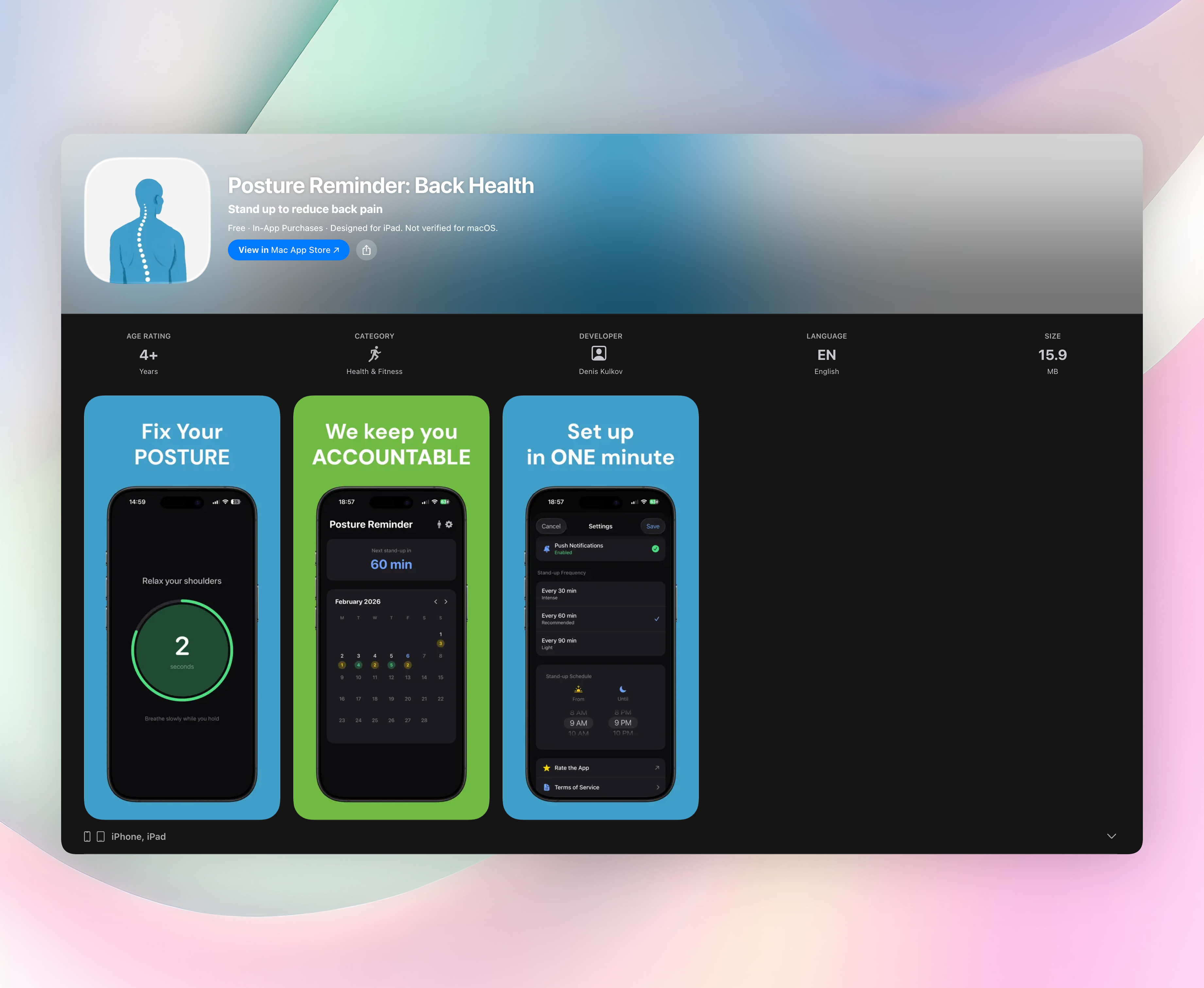
The hard part is the timer, not the desk. Most people stand until something aches, which is well after the compensations have started. A repeating nudge on a fixed interval beats good intentions, which is what Posture Reminder, a posture reminder app for iPhone and Apple Watch, exists to provide — the reminder lands before the leg lean creeps in.
At each switch, do more than move the desk: walk for 30 seconds, refill the water, take the call standing. Position changes plus a little movement beat either posture held perfectly.
This is general ergonomic guidance, not medical advice. Persistent pain, numbness, or tingling is worth taking to a physical therapist or physician rather than solving with desk height.
FAQ
What is the correct standing desk height for me?
Roughly your elbow height when you stand relaxed with your upper arms hanging at your sides. For most adults that lands between 38 and 46 inches (98–117 cm), but the correct standing desk height depends on torso and leg proportions, not stature alone. Measure your own elbow and use the table above as a sanity check.
How long should you stand at a standing desk each day?
Aim for two or more hours spread through the workday, in bouts of 30 to 45 minutes rather than one long stretch. If you're just starting, 15-minute bouts are plenty. More isn't automatically better — all-day standing carries its own downsides.
Is a standing desk better than a sitting desk?
Neither position is good held for hours. A sit-stand desk's advantage is that switching becomes easy enough that you actually do it several times a day. A well-set-up seated workstation with regular breaks beats a badly set-up standing one.
Do I need an anti-fatigue mat?
It helps most on concrete or tile, and it makes longer bouts tolerable by encouraging small weight shifts. It doesn't fix desk height, monitor height, or locked knees. Supportive shoes do a similar job; hard flooring plus flat, unsupportive shoes is the worst pairing.
Why do my legs or lower back ache when I stand at my desk?
The usual suspects are locked knees, standing on one hip, a desk set too high, and standing longer than you're conditioned for. Shorten the bouts, add a footrest so you can alternate feet, and recheck your elbow height. Aches that persist after the setup is corrected are worth a professional opinion.
Free Posture Reminder tools
- Anterior Pelvic Tilt TestThis anterior pelvic tilt test turns standing side-view observations into a simple posture score and neutral-position cues. It is a non-diagnostic screen, not a clinical assessment.
- Desk Chair Height CalculatorEstimate a desk chair height range from your height and desk height, then check whether your current chair supports a workable seated posture.
- Forward Head Posture CheckerUse a side-profile photo to estimate your craniovertebral angle with two clicks. This posture checker is a rough self-check, not a diagnosis.
- Monitor Height Ergonomics CalculatorEnter your seated eye height, monitor height, screen height and viewing distance to compare your setup with monitor height ergonomics targets.
- Posture Assessment ScoreAnswer a few desk posture questions, add your seated minutes and breaks, and get a non-diagnostic score with the highest-impact setup habits to review.
- Proper Sitting Posture at Desk CheckerCompare your desk, chair and monitor dimensions with height-scaled targets for a practical 90-90-90 sitting setup.
- Standing Desk Converter PlannerPlan a conversion standing desk setup from your body height, current desk, monitors and laptop. Get the converter lift, minimum surface width and estimated load.
- Standing Desk Height CalculatorEstimate a comfortable starting height for your standing desk, monitor, chair and screen viewing distance. Enter your body height and shoe heel height in centimetres or inches.
- Standing Desk TimerSet a sit/stand pattern and work-block length, then follow a live countdown with the next switch time, full schedule and sitting and standing totals.
- Wall Test Posture CheckUse a wall test for posture to record four contact findings and two gap measurements. Get a rough posture score, plain-language suggestions and the finding to address first.
- Workspace Ergonomics CalculatorUse an ergonomics calculator to set a desk or keyboard height, seat height, monitor top and viewing distance for seated or standing work.