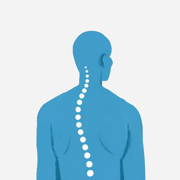
Workspace Ergonomics Calculator
Use an ergonomics calculator to set a desk or keyboard height, seat height, monitor top and viewing distance for seated or standing work.
Your setup
—
Your setup
— desk / keyboard height
- Seat height
- —
- Monitor top
- —
- Viewing distance
- —
iPhone & Apple Watch · Free
Track it in Posture Reminder.
Track posture breaks, standing intervals and workspace changes privately on your device.

How the ergonomics calculator works
This ergonomics calculator follows the elbows for the desk or keyboard and the eyes for the monitor. It estimates from stature, but measured elbow and eye heights take priority because proportions vary and a tape measure beats a formula.
For seated work, the seat target is based on popliteal height, with thighs roughly parallel, feet flat and knees around 90–100 degrees. For standing work, the surface follows standing elbow height. Set the screen top at or slightly below eye level, tilt it roughly 10–20 degrees back, and keep it about an arm's length away.
No single posture is correct for a whole day. The best setup is easy to change: alternate sitting and standing, and move regularly. Evidence for one ideal posture preventing pain is weaker than the ergonomics industry implies; evidence for changing position is better.
Seated desk/seat ≈ 0.25 × stature; standing desk ≈ 0.63 × stature; seated monitor top ≈ 0.79 × stature Most fixed desks are about 29 inches (73.7 cm), which is too high for most people. If the desk cannot be lowered, raise the chair and add a footrest. Keep wrists straight and floating while typing, and place a document holder in line with the screen. See the standing desk height calculator for a deeper standing setup guide.
Workspace ergonomics calculator FAQ
Should I use measured heights or the estimates?
Use measured elbow and seated eye heights when you have them. Body proportions vary, so a tape measure is more reliable than a stature-based estimate.
What if my desk is higher than the result?
Raise the chair until your elbows are at the surface and add a footrest so your feet stay supported. Many fixed desks are about 73.7 cm high, which is too high for most people.
Where should the top of my monitor be?
Place the top at or slightly below eye level, with a level gaze to about 15–30 degrees downward. Keep it roughly 50–70 cm away; larger screens generally suit the far end.
Is standing all day better than sitting?
No single posture is correct for a whole day. Alternate positions and move regularly; a setup that is easy to change is the useful goal.
What other posture tools are available?
Try the standing desk height calculator, standing desk timer and wall test posture check for related setup and movement guidance.